
Building a reliable home network starts with understanding how the modem, router, and switch work together. This guide explains the roles of each device, how to connect them, and how to expand your network for more wired devices.

The modem is the first essential device in your home network. It connects directly to your Internet Service Provider (ISP) using a coaxial cable, fiber line, or DSL connection. Its primary job is to convert the incoming analog signal from your ISP into digital data your devices can understand.
Without a modem, your home would have no way to access the internet. Most modems only have a single Ethernet port for connecting to a router or directly to a single device, though direct connections are rarely recommended.
A router connects to your modem and allows multiple devices to access the internet. It provides:
The correct setup involves connecting the modem’s Ethernet port to the router’s WAN (Wide Area Network) port using a Cat6 Ethernet cable.
If you need more than the four LAN ports provided by your router, you can add a network switch. A switch allows you to expand your wired network, adding ports for additional computers, game consoles, smart TVs, and more.
To set up the switch:
| Device | Connection |
|---|---|
| Modem | Coaxial or Fiber Cable to ISP |
| Router | WAN Port to Modem Ethernet Port |
| Switch | LAN Port from Router to any Switch Port |
| Wired Devices | Connected to Router or Switch LAN Ports |
| Wireless Devices | Connected via Wi-Fi from Router |
The number of devices you plan to connect will determine the size of the switch you need. Here are some typical options:
With a clear understanding of how the modem, router, and switch work together, setting up a reliable home network becomes much easier. Whether you’re building a simple network for basic internet access or expanding with additional wired devices, the proper configuration will ensure your network is fast, secure, and future-proof.
hi everyone and welcome back to the ultimate tech hub on today's episode we're going to talk about home networking basics we'll be discussing the relationship between the modem router and the switch for those of you who are new to home networking this episode will give you a complete understanding of home networking basics so let's get started the first thing i want to discuss is how these devices are hooked up and in what order so we're going to start with the first device and that device is your modem now there are hundreds of motives on the market but that doesn't really matter what matters is you have a modem hooked up and by that i mean you have a coax cable going into your modem from the cable company this is the most common situation a less common situation would be if you have fiber optics but that's for a different episode so what is a modem a modem is a device that transfers data that's sent to it and displays it on your computer and any information sent over the cable is an analog signal so the modem will convert the analog to digital so in simple terms your modem will connect you to the internet so where do we go after the modem well you may be asking the question can i just plug my modem into my computer well the short answer is yes you can simply run an ethernet cable from your modem to your computer but would i recommend doing that absolutely not even though most computers have software firewalls installed it really pales in comparison to the protection afforded by an inexpensive router so let's talk about the router the most common routers on the market are your wi-fi routers because wi-fi routers give you a wireless connection as well as an additional four wired connections typically so i'm not going to go into depth with routers but they are relatively inexpensive so from the back of the modem there's an ethernet jack from that jack you want to plug in the ethernet cable i recommend a cat6 cable and then plug it into your router on the back of your router you'll typically see five connections you'll see four lan connections and one wan connection plug the cable from the modem into the wan connection that's wide area network this gives your router access to the internet so now you have wireless connectivity and because the router has four lan connections local area network you could connect four computers to this router but you may be asking what if i have five computers in my house or six well then you're gonna need a switch and the question is gonna be how many extra ports do i need and this really depends on your situation i always recommend getting extra ports because it future-proofs your house i would recommend an eight-port switch either a netgear or tp-link is good and they're between twenty and thirty dollars so how to hook up the switch well from one of the lan ports on the router connect an ethernet cable i recommend a cat6 cable but you can use cat5e and run that cable to your switch you can plug that cable to any port on that switch so now if you have an eight port switch you now have seven more ports for seven more wired devices and with the three extra ports on the router that gives you a total of 10 wired devices plus you have wireless as well so everyone this is the basics for home networking this video should give you a good idea of how to set up your network well guys i want to thank you for watching and once again if you like these videos give a thumbs up and share it if you love them hit subscribe to keep this channel alive you
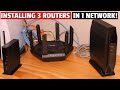
This video shows you How to Connect 3 Wi-Fi Routers in 1 Home Network! We used 3 different router brands to show each of the ...

Wi-Fi 8 vs Wi-Fi 7: the next Wi-Fi standard isn\'t chasing bigger speed numbers — it\'s fixing the stuff that actually ruins your ...

These are our TOP 5 Wi-Fi7 Router\'s in 2024 and going into 2025! Product links are listed below. Please subscribe and ring the ...

On this episode of Home Networking Basics we will show you Home Wireless Networking Fundamentals and Home Wireless ...
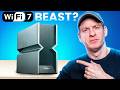
I Tested The Fastest Wi-Fi 7 Router! ARCHER BE900 Wi-Fi 7 ROUTER ( THE BEAST ) Archer BE24000 Quad-Band Wi-Fi 7 ...

These are our TOP 5 Managed Smart Switches in 2024 and going into 2025! All products are listed below at the very best prices.