
Managing two laptops at once can be frustrating—especially when juggling separate keyboards, mice, and displays. The AV Access IDOCK C20 solves this problem by consolidating everything into one sleek docking station. In this review, we explore its features, performance, and practicality for everyday multitaskers.

Setup is simple: connect power, plug in both laptops via USB-C, hook up your monitor(s) and peripherals, and you’re ready. The included MST feature allows each laptop to output to its own monitor, and the Ethernet port provides faster and more stable internet connectivity.
In daily use, the IDOCK C20 offers clean, minimal functionality—ideal for users who want less cable clutter and more productivity. A built-in button makes it easy to switch devices without unplugging anything. It's not perfect—faster charging or wireless charging would be nice—but it's still a solid option at $259.
For multitaskers using two laptops regularly, this is a reliable and elegant solution.
I’ve always struggled with dual laptop setups—especially when multitasking between two different programs on two separate machines. It can be confusing and inefficient. Wouldn’t it be easier to share one mouse, one keyboard, one monitor, one webcam, and even one external hard drive between both laptops?
Thankfully, there’s a solution: a KVM switch. KVM stands for keyboard, video (or monitor), and mouse. The AV Access IDOCK C20 is one such device, and today we’re reviewing it to see if it simplifies dual laptop workflows.
The IDOCK C20 is compact, lightweight, and portable. As a 12-in-1 docking station, it includes 12 ports, allowing you to connect both laptops along with peripherals like a mouse, keyboard, webcam, and hard drive. It also has an SD card reader for easy file sharing between laptops—a feature I personally find very convenient.
Setup is simple: just connect both laptops using the included USB-C cables. The device supports both Windows and macOS. After plugging in power and connecting your monitor (up to 4K at 60Hz), you just need to attach the mouse, keyboard, and any additional devices.
The IDOCK C20 also has a built-in MST function, enabling each laptop to output to a separate monitor. Plus, the USB-C ports charge the laptops simultaneously—no more battery concerns. If Wi-Fi is unstable, you can also connect via Ethernet, which both laptops can share, improving speed and reliability.
There are six USB ports (two of which are USB 3.0), a USB-C port for charging and data transfer, and a headphone jack. A single switch button lets you instantly toggle between laptops, transferring mouse, keyboard, and peripheral control—very convenient.
After a few weeks of use, I found the IDOCK C20 drastically improved my multitasking efficiency. It keeps my workspace clean and minimalist, just how I like it. Did it make my life easier? Yes—at least when using multiple laptops. Everything else in life is still busy!
Overall, the IDOCK C20 is a solid KVM switch. It could be improved with a fast charger or maybe a wireless charging pad, but those are just minor wishes. If you’re looking for a KVM switch that performs well and looks great, this one’s a fantastic pick. It retails for $259, and you’ll find the purchase link below. AV Access also offers other KVM options—check those out too.
And just in case you forgot, I’m Michael Scott, and this is the Ultimate Tech Hub.
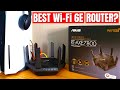
Thank you to ASUS for sending us the RT-AXE7800 wifi6e Performance Router! Check out the RT-AXE7800 Wi-Fi 6e router on ...

Welcome to another video from the Ultimate Tech Hub. This video is our Pool Plumbing Installation which is part of our Backyard ...

Welcome back to The Ultimate Tech Hub. On today\'s episode we are going to test and review the EVGA GeForce GTX 1660ti ...

This is the LINKRUNNER AT3000 from NetAlly! The AT3000 Tests Copper, Fiber and PoE connections. If your Network is down or ...

On this episode of Ultimate Tech Hub we will install a screw-less face plate from Lutron. We will also show you where to buy them ...

This is The Best Upgrade you can make to your PS5! Faster read and write speeds means faster game loading which saves you ...