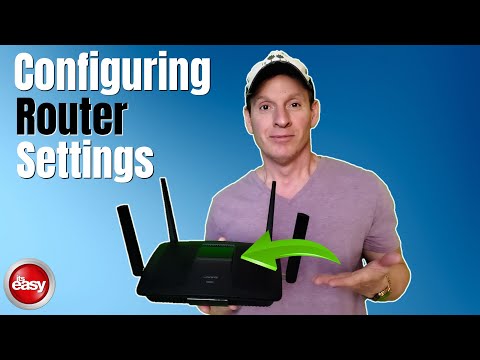
[Music]
what's up guys welcome back to the
channel i'm mike this is the ultimate
tech hub thank you for joining us i
really appreciate it you guys are
awesome we posted a video a few weeks
ago home networking for beginners
and in that video we showed some basic
wireless router settings
however we got a lot of questions about
those settings so today's video we're
going to share all of our essential
wireless router settings for 2022 and
this should answer all your questions
however if you have any questions leave
in the comments below i answer all
questions and when you're finished
watching this video make sure to check
out one of our videos and our ultimate
home networking playlist we have nearly
100 videos on home networking so enough
with the chit chat let's get started
right guys the first thing i want to
talk about is is your admin screen and
most importantly your admin password
and it's essential to secure your router
make sure the admin password is very
long
16 characters
the longer the password the better
because hacking a password that's 16
characters long is much more difficult
than a password that's eight characters
long and my recommendation is use a
phrase a long phrase as your password
like for instance i love watching
ultimate tech hub that would work but
don't use that and to get to your admin
page
type in 192.168.1.1
and that should work
and if for some reason that does not
work look in the manual for your router
to find that information and if for some
reason you don't have a manual for your
router
just do a quick google search for your
router's model number alright guys now
we got to select the best encryption for
your router if you have a newer router
use wpa3 if your router is older
you may only have wpa2
but it's important to use the highest
level of encryption on your router
next is your password and once again
make this password long 16 characters
make it a phrase
but do not use the same phrase that you
use for your admin password make that
password completely different like i
said 16 characters will work next thing
you want to do while you're there is
hide your ssid
that way nobody can see it
and of course write down the name of the
ssid
you'll need that name to log into your
network next thing you want to do is
make sure all your firewalls are turned
on
now by default most routers have to be
turned on automatically but just make
sure they're turned on and while you're
there as well
make sure dhcp server is turned on as
well as nat
network address translation
if your router has the ability to have a
vpn installed you won't install on vpn
if your router is older you may not be
able to do this next thing we're going
to talk about is your guest network
always keep it turned off
you can turn that guest network on when
people come over like friends and family
once again make that password very long
16 characters
use the phrase
i love watching ultimate tech videos
that'll work as soon as everybody leaves
turn that network off also turn off wps
[Music]
wi-fi protected setup just turn this off
if wps is turned on it can be hacked
just do a quick google search and you're
gonna see that wps is vulnerable to
brute force attacks
so turn it off
and if your router has parental controls
turn them on
it's very important
especially if you have young kids and
teenagers
and one last thing i want to talk about
is upnp universal plug and play
you want to turn that off
and once again there's many articles on
upnp vulnerabilities which allows
tackers to steal data and scan networks
so turn this off
so these are all the essential tips i
can give you to keep your network safe
and secure in 2022 while there's no
guarantee that your router won't get
hacked and even a router with the best
security can be hacked
just know that these essential tips will
help keep your router safe and secure
and once again guys if you have any
questions leave in the comments below i
answer all questions and guys i want to
thank you so much for watching you guys
are awesome i love you all and i'll see
you the next video real soon
peace