
This smart home walkthrough highlights everything we received from Lennar in 2019 and all the additional upgrades we’ve made over the past 2.5 years. From POE access points and smart switches to voice assistants and custom wiring, this video covers it all—and gives you our honest opinion on whether Lennar’s Wi-Fi Certified package is truly worth it.

Despite the Ethernet shortcomings, this Lennar smart home offered a solid starting point for building out a scalable and customized smart ecosystem. The integrations were smooth, the central hub was helpful, and upgrading was easy thanks to the included POE switch and AP. But if you’re savvy and want to save money, consider installing everything yourself.
This is our Smart Home Tour 2022. Every smart device, installation, and wiring you’ll see in this video is covered in more detail on our YouTube channel, Ultimate Tech Hub.
We purchased our Lennar home in 2019. At the time, it was advertised as Wi-Fi Certified—part of a partnership between Lennar, Amazon, and Ruckus to deliver turnkey smart home features. Let’s explore what came preinstalled, what we added, and whether or not it’s worth the price.
Right after moving in, we activated internet service and scheduled a setup visit with an Amazon associate. They installed our smart home hub, which included a Ruckus ICX PoE switch, a Lutron Smart Bridge Pro, a SmartThings Hub, and a Kevo Plus smart lock controller. We also received an Amazon Echo Show, Echo Dot, and a Sonos speaker.
The Kevo Plus allowed us to lock and unlock the front door remotely and share virtual keys. The Lutron bridge handled all Lutron smart switches—we had one at move-in and later installed 14 more. The SmartThings Hub supported Z-Wave integration; currently, it’s connected to one hallway lamp.
Thermostats in the home are Ecobee models, all Wi-Fi connected. The Ruckus R610 ceiling-mounted access point was a highlight, giving us great whole-home Wi-Fi coverage. The AP is powered via PoE from the ICX switch.
We also had a Ring Elite doorbell installed at the front door, which required a PoE injector. It's great for monitoring Amazon deliveries and front entry activity.
Now for a complaint—this home had no Cat6 Ethernet runs to any rooms. Just three Cat6a lines: one to the doorbell, one to the access point, and one kitchen phone line. That’s a missed opportunity. I’ve since installed over 20 Cat6 cables throughout the home, including two in each room and six more for cameras.
Despite that, the smart features are scalable. Over time, we added smart lights, backyard lighting, patio lighting, pool lights, and motorized smart shades. I also replaced the Ruckus R610 with a Netgear WAX630, which improved performance.
In summary, Lennar's setup gives you a solid smart tech foundation. However, financing it over 30 years via your mortgage isn’t ideal. If you're tech-savvy, installing everything yourself might be more cost-effective.
Thanks again for watching! Follow us on Instagram for giveaways and visit our Patreon to support the channel. If you liked this video, give it a thumbs up. If you loved it, hit subscribe—it’s free!

On today\'s episode we will explain How Fiber Optic cabling transmits data and what Fiber Optic cabling is made of. If you have ...

We Tested what could be the most Comfortable Home Theater Chair in 2025. Watch to find out! Weilianda Black Friday event, ...

These are our TOP 5 BEST Mesh Wireless Router picks for 2024! Product links are listed below. Please subscribe and ring the ...

These are My Top 4 Ethernet Cables for gaming on your PlayStation 5, Xbox, Nintendo Switch and PC! Please Like, Share ...
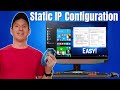
This is How To Configure a Static IP Address. We give you 2 examples, one on a Windows Computer and one on a PlayStation 5 ...
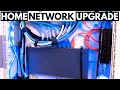
Welcome back to HOME NETWORKING FOR BEGINNERS! The easiest upgrade for your SOHO Network is adding a managed ...