
In this video, we explore how fast a Wi-Fi 7 laptop really is using the Asus Zenbook connected to a TP-Link GE800 router. We tested performance over a 6 GHz band with a 1 Gbps fiber internet connection. The results were impressive, showing near-gigabit download and upload speeds, demonstrating the true power of Wi-Fi 7 laptops in a modern setup.

The video demonstration features:
Using these devices, we connected the Asus Zenbook to the router and ran an internet speed test.
Results:
This shows that Wi-Fi 7 delivers on its promise of blazing-fast wireless connectivity. While your mileage may vary based on ISP and interference, this test confirms that Wi-Fi 7 laptops are capable of nearly saturating a gigabit fiber connection over the air.
If you're considering an upgrade, pairing a Wi-Fi 7-enabled device with a compatible router and a fast internet plan can future-proof your network setup. For gamers, streamers, or professionals, the low latency and high throughput are well worth the investment.
So, how fast are Wi-Fi 7 laptops? Today, we're going to find out.
We're using the Asus Zenbook laptop, which has a Wi-Fi 7 network interface card. It's connected to the 6 GHz band, as shown on screen. Our router for this test is the TP-Link GE800 Wi-Fi 7 gaming router.
Let’s go ahead and run a speed test to see the actual performance.
My current internet service plan is a 1 Gbps fiber plan from CenturyLink. They guarantee speeds of 940 Mbps for both download and upload.
During our speed test:
This confirms that the fiber connection is incredibly fast—and the Wi-Fi 7 laptop was able to make full use of it.
I highly recommend fiber internet if it's available in your area. It offers symmetrical high-speed connections that are perfect for heavy internet usage.
In summary, Wi-Fi 7 laptops are blazing fast. If you're on the fence about upgrading, now is a great time. I’m Michael Scott, and this is the Ultimate Tech Hub.

Welcome back to The Ultimate Tech Hub. This is our commercial we did for NetGear a few months ago. We changed the ...

Welcome back to The Ultimate Tech Hub. On today\'s episode we will show you how to make a Cat6 Crossover Cable. We will ...
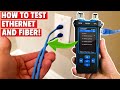
In this video we will show you, " How to Test Ethernet and Fiber Cables! " In order to test ethernet and fiber cables, you need a ...

If your Wi-Fi signal is Weak and Slow, then your Wireless Router is in the Wrong Room! This video will teach you how to move ...

A hot cup of coffee is a Fantastic Way to Help Support our Channel!☕https://www.buymeacoffee.com/ultimatetechhub Or You Can ...

These are our TOP 5 Wi-Fi7 Router\'s in 2024 and going into 2025! Product links are listed below. Please subscribe and ring the ...