
In this guide, we walk you through upgrading your PC by replacing an old GTX 660 graphics card with a powerful 1660 Ti. This upgrade improves gaming performance, video editing speed, and more.

The video starts with a quick comparison between the old graphics card, a GTX 660, and the new 1660 Ti. The 660 is outdated, bulky, and lacks modern performance features.
In addition to the graphics card, the following upgrades were also made:
Upon reboot, a common CPU fan error appeared. The steps to resolve this are:
With the 1660 Ti installed and system errors cleared, the upgraded PC is ready for gaming and productivity. The 1660 Ti offers excellent 1080p and even some 1440p performance, making it a great choice for mid-range builds.
For the complete visual guide, including hardware handling tips, BIOS adjustments, and performance discussion, watch the full video below.
hi i'm michael with ultimate tech hub and today is part two of my pc upgrade today we're gonna install the 1660 ti graphics card [Music] okay before we install the 1660 ti i'm not sure what these numbers even mean or letters um i just feel this is totally impressive so maybe ti stands for totally impressive amazing but uh before we install this i'm gonna show you what we're replacing that's the g4660 no way that's right it's a 660. a g466 what this thing's old i mean what's this 20 years old no it's not 20 but six or seven years old it's heavy i mean you need two hands to hold this thing up pretty heavy smells old it's dusty it's got a fan here too uh you can see it's super tiny fan i'm not sure it does anything if they even can cool it at all this is pretty unimpressive it's time for the 1660 trillion [Music] my [Music] [Music] [Music] okay as you can see we're all done here this case is done it's got the new blu-ray bird it's got the new power supply it's got the new cpu cooler it's got the new ripping g4 1660 totally impressive graphics card it rips so the first thing you want to do when you reboot this that for the first time with the cpu cooler or any cpu cooler for that fact many times you're going to get a cpu fan error so simply go hit f1 during the boot go into the bios go into the advanced settings find the cpu fan speed cpu uh temperature ignore for both those hit save exit reboot and that clears the cpu fan error and that's it thanks guys for watching please hit subscribe hit the like button share this video with anyone um please leave a comment down below good or bad any questions please ask them i can usually respond within a day or two thanks again for watching [Music] you

Welcome to the Mortal Kombat 11 Review. This review is the PC Standard Edition which retails for $59. There are 25 Characters ...

The LincStation N2 is an ALL SSD NAS that\'s small and portable. Check out the links below. Peace.
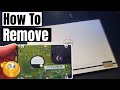
Welcome back to The Ultimate Tech Hub. On today\'s episode we will remove a HDD from a very old Dell Vastro Laptop (2010).

These are our TOP 5 Web-Sites to Purchase Windows 11 or 10 Product Keys for under $30!!!! All 5 Web-Sites have been tested ...

Today we are looking at the new WiFi 7 802.11be standard. It\'s bigger, faster, stronger and the future of wireless computing!

How to Connect Lian Li Uni SL Infinity 120 fans ( Triple Pack ) Review Lian Li UNI Fan SL-Infinity 120mm-Triple Pack-ARGB White ...