
Upgrading a wireless router sounds like an easy way to improve internet performance, but in 2026 the decision is not as simple as buying the newest model. This video explains the real-world difference between 5 GHz and 6 GHz Wi-Fi, clears up common myths about Wi-Fi 6E and Wi-Fi 7, and shows why many people spend more money than they need to. While 6 GHz can deliver excellent speed and low latency under the right conditions, 5 GHz is still the better choice for many homes because it offers strong coverage, reliable performance, and broader device compatibility.

Wi-Fi works through radio waves, and each wireless band behaves differently. In the video, the three main bands are compared to lanes on a highway. The 2.4 GHz band is slower but reaches farther. The 5 GHz band is faster and still offers practical range for most homes. The 6 GHz band is the newest and fastest option, but it performs best only in short-range, low-obstruction environments.
The most important takeaway is that higher frequency usually means shorter range. That is why 6 GHz can be excellent near the router, but much less impressive once walls, doors, and distance get involved. For many users, this is the difference between a smart upgrade and an expensive disappointment.
| Wi-Fi Band | Main Strength | Main Weakness | Best Use Case |
|---|---|---|---|
| 2.4 GHz | Longer range | Slower speeds, more congestion | Basic devices and longer-distance coverage |
| 5 GHz | Strong speed and good coverage | Less range than 2.4 GHz | Most homes, offices, and multi-level spaces |
| 6 GHz | Very fast, low interference, low latency | Short range, weaker through walls | Close-range performance, gaming, VR, high-end devices |
Marketing numbers often make router upgrades sound more dramatic than they really are. In the video, the theoretical maximum speeds are compared with practical home performance.
In other words, buying a newer router does not automatically create faster internet. Your ISP plan, your home layout, and the devices connected to your network all matter just as much.
The video makes a strong case for 5 GHz as the best all-around band for most homes and small offices. It handles walls and doors better than 6 GHz, provides reliable performance across multiple rooms, and works well in upstairs and downstairs layouts. That makes it a practical choice for users who care about whole-home coverage instead of maximum speed in a single room.
If your internet plan is already fast and your devices mostly connect on 5 GHz without issue, upgrading simply for the 6 GHz band may not make much sense. In many situations, a well-placed router and properly optimized 5 GHz settings can deliver excellent results without the cost of a full router replacement.
Even though 6 GHz is not for everyone, it does offer clear advantages. Because fewer devices can use it, there is far less interference. The band also supports wider channels, which helps move more data at once. That makes it especially appealing for demanding tasks such as:
However, the band performs best when the router is centrally placed, the device is nearby, and there are few walls or obstacles in the way.
One of the biggest strengths of this video is how clearly it breaks down the myths that drive unnecessary router upgrades.
The biggest mistake people make is buying a Wi-Fi 6E or Wi-Fi 7 router without first checking whether their devices support the 6 GHz band. If your devices do not support Wi-Fi 6E or Wi-Fi 7, they cannot connect to that band at all. That means you may end up paying for a feature your household cannot even use.
Compatible devices can include newer flagship phones, certain laptops with Intel AX210 cards, Wi-Fi 7 laptops, and gaming PCs with Wi-Fi 7 chipsets. On the other hand, many popular devices such as PS5, Xbox, Switch, most smart TVs, most IoT devices, and older phones or laptops do not support the 6 GHz band.
The video also offers practical tips for getting the most from both bands.
Upgrading to Wi-Fi 6E or Wi-Fi 7 makes the most sense for users with multi-gig internet service, multiple compatible devices, or demanding performance needs such as low-latency gaming, VR, and large file transfers. For everyone else, a good 5 GHz setup is still more than enough for streaming, browsing, remote work, and most everyday tasks.
The bottom line is simple: 6 GHz is a performance tool, not a magic fix. It is powerful, clean, and fast, but it is not a coverage solution and it is not necessary for every home. For many buyers, the smarter move is improving router placement and optimizing 5 GHz before spending money on a router upgrade.
Is upgrading your wireless router actually worth it in 2026?
In this video, I break down 5 GHz versus 6 GHz Wi-Fi, the truth, the myths, and the biggest mistake people make when upgrading their routers. One myth in particular wastes consumers money every day, and we are about to expose it.
So, what exactly is Wi-Fi? Wi-Fi is simply radio waves. Different bands use different frequencies. Think of it like a three-lane highway. The first lane is the 2.4 GHz band. This lane is slower, but it travels farther and is used by many devices, so it tends to be crowded.
The second lane is the 5 GHz band. This lane is faster, offers solid coverage, and usually has less traffic because fewer devices use it. The third lane is the 6 GHz band. This is the brand-new express lane. It is very fast, wide open, and almost always empty because very few devices can use it right now.
However, there is a trade-off that many people do not explain clearly. Higher frequency means shorter range. So yes, the 6 GHz band can be incredibly fast, but that changes when you walk into the next room. Walls, doors, and distance are the enemy of this band.
Now let us talk about speeds without the marketing hype. The 2.4 GHz band has a theoretical maximum of up to 600 megabits per second under perfect conditions. In the real world, most users will see closer to 100 megabits per second.
The 5 GHz band, using Wi-Fi 5, can theoretically reach up to 3.5 gigabits per second. With Wi-Fi 6, it can reach up to 4.8 gigabits per second. In most homes, though, the maximum real-world speed is usually around 1 to 2 gigabits per second depending on the internet plan and the devices being used.
Now let us look at the 6 GHz band. This band can theoretically reach up to 9.6 gigabits per second on Wi-Fi 6E and exceed 40 gigabits per second on Wi-Fi 7. In reality, most homes will still only see around 1 to 2 gigabits per second depending on the ISP plan and the devices connected to the network.
The 6 GHz band can deliver those higher speeds because it has more capacity and wider 160 MHz channels. That allows more traffic to move across the band at the same time. It is like opening up a superhighway with more lanes.
This band is especially useful in apartments and office environments. Another big benefit is reduced interference. Since older devices cannot connect to 6 GHz, there is very little competition for bandwidth. One of the best advantages is lower latency, which can fall below 1 millisecond. That makes it a strong option for VR and online gaming.
When it comes to range, 5 GHz may actually be the better option for most home and office users. The 5 GHz band handles walls and doors fairly well, can cover medium-sized homes and small offices, and often performs better in multi-level homes.
The 6 GHz band has a much shorter range, around 30 to 50 feet with no obstructions. Unfortunately, it struggles to move through walls and doors, and speed drops much faster with distance, especially after 50 feet. The reason is simple physics. Higher-frequency waves lose energy faster and do not penetrate obstacles as well.
That means if your goal is broader coverage, the 6 GHz band is not the solution. It is best thought of as a performance band, and that distinction changes everything.
Let us talk about some of the myths surrounding 6 GHz. The first myth is that it makes your internet faster. That is false. It can help maximize your wireless connection, but your ISP is still the bottleneck.
The second myth is that it replaces the 5 GHz band. That is also false. Most modern routers run all three bands, and each band has a job to do. Some Wi-Fi 7 routers also support MLO, which can combine bands at the same time, but only compatible Wi-Fi 7 devices can use it.
The third myth is that all devices support 6 GHz. This is completely false, and it is the myth that wastes the most money. If your device does not support Wi-Fi 6E or Wi-Fi 7, it will not even see the 6 GHz network. That means the band is invisible to many older devices, and the same goes for MLO networks.
If you are shopping for hardware, make sure the box specifically says Wi-Fi 6E or Wi-Fi 7. If it does not, it does not have the 6 GHz band. Also remember that some Wi-Fi 7 mesh systems still do not include 6 GHz. One example mentioned in the video is the Deco BE25, which is a dual-band Wi-Fi 7 system.
So, which devices are compatible with 6 GHz? New flagship phones from Apple and Samsung are compatible. Wi-Fi 6E laptops with Intel AX210 cards can use it, and so can Wi-Fi 7 laptops such as the Asus Zenbook S16, along with high-end gaming PCs that include Wi-Fi 7 chipsets.
Which devices are not compatible? The list includes the PS5, Xbox, Nintendo Switch, most smart TVs, most IoT gear, and of course many older laptops and smartphones. That is why it is so important to check your devices before you upgrade your router. Otherwise, you may be building highways with no traffic.
If you want to maximize the 5 GHz band, start by placing the router in a central location. That helps the signal reach more of the house. You can also separate your SSIDs if needed so devices connect to the best band. If your home has interference, use 40 MHz or 80 MHz channels, especially channels 36 through 48 or 149 through 161.
The 5 GHz band remains strong, reliable, and suitable for the majority of users most of the time.
If you want to maximize the 6 GHz band, place your router in a central location and stay close to it with as much line of sight as possible. A maximum distance of about 50 feet is ideal. Enable 160 MHz channels, and if you are using mesh nodes, a wired backhaul is the best option. To get the fastest speeds, pair the setup with a multi-gig internet plan, such as a 2-gig plan.
This band performs best in clean, close-range environments with few or no walls and doors in the way.
So who should upgrade to Wi-Fi 6E or Wi-Fi 7? You should consider upgrading if you have multi-gig internet, several Wi-Fi 6E or Wi-Fi 7 devices, or you need high-speed file transfers or VR gaming performance. Otherwise, it makes more sense to stay with the 5 GHz band. It is still plenty fast for high-speed internet and offers an impressive coverage area.
Here is the bottom line. The 5 GHz band is fast, dependable, and provides broad coverage. The 6 GHz band is powerful, clean, and built for the next generation of devices, but it is not magic. It is not a coverage solution, and it is not necessary for everyone. It is a performance tool, and that is the right way to think about it.
That is the real difference between 5 GHz and 6 GHz Wi-Fi, and it should help you decide whether a router upgrade is actually worth it in 2026.

Ready to build the perfect home network in 2025? In this step-by-step guide (2025), I\'ll show you exactly how to Build a Home ...

These are our TOP 5 BEST Wireless Gaming Router\'s for 2024 and going into 2025! Product links are listed below. Please ...

These are my Top Wireless Routers in 2025! Wi-Fi 7 & Wi-Fi 6e For All Budgets! Product links are below. Peace. Archer GE800 ...
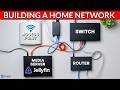
How To Build a Home Network for Beginners (2026 Guide). Learn how to build a Home Network for beginners step-by-step!

Welcome back to Home Networking for Beginners! On today\'s episode we show you how to log into your wireless routers admin ...

The Best way to improve any Home Network with Lagging Problems, High latency or Buffering issues is to Upgrade to a New wifi6 ...