
The Legrand On-Q Universal Mounting Bracket (model AC1040) is a versatile accessory designed to help you securely mount third-party devices inside Legrand network boxes. With multiple mounting options and solid construction, it offers a flexible solution for organizing your structured wiring enclosure. Below, we’ll explore its features, setup process, and helpful installation tips.

| Item | Details |
|---|---|
| Mounting Bracket | 13.2 x 10 inch ABS nylon bracket |
| Plungers | 4 plastic plungers for secure mounting |
| Velcro Straps | 4 feet of Velcro for device mounting |
The bracket can be installed using either the included plungers or standard screws. Below is a quick step-by-step guide:
Note: The included Velcro is enough for securing two devices. Additional Velcro may be required for larger setups.
This bracket is designed to accommodate various third-party devices, making it ideal for mounting:
The Legrand On-Q Universal Mounting Bracket AC1040 is a great addition to any Legrand network box. Its sturdy build, flexible mounting options, and ease of installation make it a highly recommended accessory for homeowners or installers looking to keep their network gear secure and organized. Priced at around $22, it offers excellent value for the convenience it provides.
For a step-by-step installation video, be sure to check out the linked YouTube video above.
this is the LeGrande on cue universal mounting bracket designed from the Grande Network boxes this bracket accepts third pride devices with a wide variety of mounting options this mounting bracket is the AC one zero four zero priced at $22 it's open the box and see what's inside the lagron bracket measures at thirteen point two by ten inches is made of ABS nylon it includes four plungers and four feet of velcro strapping the bracket feels very solid and it can hold many devices and many different shapes sizes and configurations we found a four feet of velcro would only secure to devices so you will need to purchase additional velcro straps these are the four plungers used to mount the bracket these plungers can be difficult to install so you can always use screws instead also the holes in the brackets that may not line up with the network box holes so you may need to drill holes to get the bracket lined up you can see I use two plungers up top and two screws at the bottom of the bracket if you want to see the full installation here's a link to that video I want to thank you guys for watching if you like this video give a thumbs up and share it if you love it hit subscribe it's free

The Best Way To Get The Fastest & Most Consistent Internet Speeds is to Purchase the Highest-Quality Ethernet Cables.

In this episode I will organize my Home Residential Network Box which has become a mess over the last 10 years. Excess coaxial ...
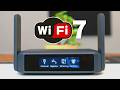
This is the Slate 7 Wi-Fi 7 Router from GL-iNet, the World\'s Fastest Mobile Wireless Router! If you need a fast, secure and portable ...

Welcome back to Ultimate Tech Hub. On this episode of Ultimate Un-Boxing we will take a look at the Legrand ON-Q Universal ...

The Best way to improve any Home Network with Lagging Problems, High latency or Buffering issues is to Upgrade to a New wifi6 ...
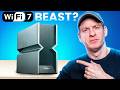
I Tested The Fastest Wi-Fi 7 Router! ARCHER BE900 Wi-Fi 7 ROUTER ( THE BEAST ) Archer BE24000 Quad-Band Wi-Fi 7 ...