
The Seagate Backup Plus Hub 10TB is a versatile external storage solution compatible with both Windows and Mac systems. It offers ample storage capacity, dual front-facing USB 3.0 ports for device charging and data transfer, and includes additional perks such as a complimentary Adobe Creative Cloud Photography plan membership. This guide provides a detailed overview of the unboxing experience and setup process to help you get started with your new device.

Upon opening the box, you'll find the following items:
Follow these steps to set up your device:
The Seagate Backup Plus Hub 10TB offers several notable features:
The Seagate Backup Plus Hub 10TB is a reliable and versatile external storage solution that combines substantial capacity with user-friendly features. Its dual USB 3.0 ports, cross-platform compatibility, and additional software offerings make it a valuable addition to your digital storage setup.
This is the Seagate Backup Plus Hub. This unboxing and setup guide is brought to you by Ultimate Tech Hub. The Seagate Backup Plus is a 10-terabyte storage hub compatible with both Windows and Mac systems.
This hub features two front-facing USB 3.0 ports that allow you to charge mobile devices and transfer files from USB cameras and thumb drives. With 10 terabytes of storage, running out of space won’t be an issue.
Inside the box, you’ll find setup instructions, a 2-year limited warranty, and a complimentary two-month membership to the Adobe Creative Cloud Photography plan.
The drive itself weighs around 2.5 pounds, making it portable. The power supply includes six international plug adapters, and there's a USB 3.0 connector included.
The rear of the drive features two USB ports, a power connection, and a Micro-B USB connector.
To set it up, first select the appropriate power adapter and attach it to the power supply. Plug the power cable into the drive, and then connect the USB 3.0 cable between the drive and your computer. Finally, plug the power supply into a wall outlet.
Once connected, your computer will recognize the drive. If you're using Windows, clicking the green setup icon will take you to the Seagate website where you can register the device.
This completes the setup process for the Seagate Backup Plus Hub 10TB.
Thanks for watching and supporting Ultimate Tech Hub. If you enjoyed this video, give it a thumbs up and share it. If you love it, hit that subscribe button—it's free!

In this review we will look at the Nvidia Shield Gaming Controller and we will test it playing Mortal Kombat 11. This is the 2nd ...

How to Build a $2000 Gaming PC with Intel i7, RTX 3080, ASUS Prime Z690-A, 32gb of DDR5 Corsair Vengeance, Vetroo Lurker ...
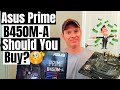
Welcome back to The Ultimate Tech Hub. On today\'s episode we will unbox & Review The ASUS Prime B450M-A Motherboard.

Today we are going to talk about what software you should NEVER install... EVER! If these programs are on your Computer or ...

A hot cup of coffee is a Fantastic Way to Help Support our Channel!☕https://www.buymeacoffee.com/ultimatetechhub Or You Can ...

This is "How to Fix Slow Ethernet Speeds in 2025! Quick and Easy!" Great Deals on Ethernet Cables: Cable Matters 10Gbps ...