
If you have ever terminated an Ethernet cable and wondered whether to use T568A or T568B, this guide breaks it down in plain English. You will learn the real difference between the two wiring standards, why one is not faster than the other, how crossover cables work, and which configuration makes the most sense for your home or business network.

T568A and T568B are the two approved pinout configurations used when terminating twisted pair Ethernet cables. These wiring patterns are used with common network cable types, including Cat 5e, Cat 6, Cat 6A, Cat 7, and Cat 8. Both standards use the same eight internal conductors inside the cable. The key difference is simple: the green and orange wire pairs switch positions.
That small wiring difference causes a lot of confusion, especially for people making their own patch cables, wiring a home network panel, or terminating Ethernet jacks for the first time. The good news is that neither standard is faster than the other. If both ends of the cable are terminated correctly using the same standard, T568A and T568B deliver the same speed, bandwidth, and reliability.
| Standard | Pin 1 | Pin 2 | Pin 3 | Pin 4 | Pin 5 | Pin 6 | Pin 7 | Pin 8 |
|---|---|---|---|---|---|---|---|---|
| T568A | White/Green | Green | White/Orange | Blue | White/Blue | Orange | White/Brown | Brown |
| T568B | White/Orange | Orange | White/Green | Blue | White/Blue | Green | White/Brown | Brown |
One of the biggest myths in Ethernet wiring is that T568B is faster or more modern than T568A. That is not true. When both ends of the cable are wired correctly, both standards perform the same.
Most speed and reliability problems come from the physical termination, not the wiring standard. A bad crimp, damaged conductor, too much untwist, mismatched connectors, or a cable jacket that is not seated properly inside the RJ45 plug can all cause problems.
For the demonstration, Cat 6 UTP cable is used. UTP stands for unshielded twisted pair. Standard Cat 6 UTP RJ45 connectors should be matched with the cable type. Matching the cable and connector matters because mismatched parts can lead to intermittent faults, noise issues, poor connectivity, or failed certification.
To terminate a cable using the T568A configuration, follow these basic steps:
The correct T568A wire order from left to right is:
The process for terminating T568B is almost identical to T568A. The same tools, cable, connectors, and testing process can be used. The only major difference is the wire order.
To terminate a cable using the T568B configuration, strip the jacket, inspect the conductors, untwist and straighten the wires, arrange the wires in the correct order, trim them evenly, insert them into the connector, crimp the plug, and test the cable.
The correct T568B wire order from left to right is:
A crossover cable is created when one end of the cable is terminated using T568A and the other end is terminated using T568B. In the past, crossover cables were commonly used to connect similar devices directly, such as PC to PC or switch to switch.
Today, crossover cables are not usually needed because modern Ethernet devices support Auto-MDIX. This technology automatically detects the connection type and swaps the pairs electronically when needed. That allows a regular straight-through cable to work in almost every modern networking situation.
False. T568A and T568B perform the same when both ends are wired properly.
False. Both are recognized wiring standards. T568B is commonly used, but that does not make it newer or better.
False. Both T568A and T568B can carry Ethernet data. The phone wiring connection is often exaggerated.
Mixing A on one end and B on the other creates a crossover cable. Modern equipment usually handles this, but the cleaner rule is to stay consistent.
The best rule is to use whatever your existing home, office, wall jack, or patch panel already uses. Consistency matters more than choosing A or B. If your current network is wired with T568B, keep using T568B. If a job specification requires T568A, use T568A.
If you are starting from scratch, either standard will work. However, T568B is commonly used in many home networks and many store-bought Ethernet patch cables are wired as T568B. For that reason, T568B is often the practical choice for a new home network.
T568A and T568B are both valid Ethernet wiring standards. One is not faster, stronger, or more reliable than the other. The real key is clean termination, proper parts, consistent wiring, and testing your cable before putting it into service.
Whether you are making a Cat 6 patch cable, wiring a patch panel, or learning how Ethernet cables work, understanding T568A, T568B, and crossover cables will help you build cleaner and more reliable network connections.
If you have ever wired an Ethernet cable and thought, "Wait, do I use T568A or T568B?" you are not alone. One of the biggest myths is that one is faster than the other. In this video, I will show you the real differences, the common misconceptions, and how to physically wire T568A, T568B, and the lesser-known crossover cable. By the end, you will know which configuration to use in your network.
First, what exactly are T568A and T568B?
T568A and T568B are the two approved wiring pinouts for terminating twisted pair Ethernet cables. This includes Cat 5e, Cat 6, Cat 6A, Cat 7, and Cat 8. These cables use the same eight wires. The only physical difference between T568A and T568B is that the green and orange pairs swap positions.
If both ends are wired correctly, performance is the same. You get the same speed, the same bandwidth, and the same reliability, assuming your termination is clean.
For this installation, we are using Cat 6 UTP cable. UTP stands for unshielded twisted pair. We are also using standard Cat 6 UTP gold-plated connectors. Matching the cable type and connectors is important. If the cable and connector do not match, you can end up with a cable that looks fine but has irregular faults, noise issues, or even fails certification.
You can add a boot strain relief cover if you want. These boot covers help protect the fragile RJ45 connector, but they are not mandatory. Next, score and strip the jacket about 1 to 1.5 inches. You can use an RJ45 crimping tool or dedicated wire strippers. Most importantly, do not nick the conductors. Always check closely before going further. If any wires are nicked, you need to strip the cable again.
Untwist all eight wires and straighten them as much as possible. Keeping the wires straight makes it easier to place them into the correct order and insert them cleanly into the RJ45 connector.
Arrange the wires in the T568A configuration from left to right:
Flatten all the wires and push them closely together. Using the end of a table can make this process much easier. After all eight wires are straight and flat, make a clean cut across all eight wires with sharp scissors.
The wire length should be around 3/4 inch or slightly less. This allows the cable jacket to slide far enough into the connector. However, if the wires are too short, they will not make contact with the pins at the end of the connector.
Insert the wires into the RJ45 plug. Make sure each conductor goes fully into its channel and that no wires get kinked or moved into a different order. The jacket should slide far enough into the plug to provide proper strain relief.
Insert the plug into the crimper as far as it will go. Then squeeze down on the crimper until you hear a snap. One crimp is all you need.
The final step is to test the cable. Any cable tester will do. A professional tester can provide advanced diagnostics, while a budget tester can still confirm the basic wiring. If the cable passes the test, it can now be used in your home or business network.
Now it is time to wire the T568B configuration. The same parts and tools are used for T568B as T568A.
You can add a boot strain relief cover if you want. These covers help protect the RJ45 connector, but they are optional. Score and strip the jacket about 1 to 1.5 inches. You can use the RJ45 crimping tool or dedicated wire strippers. Be careful not to nick the conductors. If any wires are damaged, strip the cable again.
Untwist all eight wires and straighten them as much as possible. This helps keep the wire order clean and makes insertion into the connector easier.
Arrange the wires in the T568B configuration from left to right:
Flatten the wires and push them closely together. Once all eight wires are straight and flat, make a clean cut. The length should be around 3/4 inch or slightly less. This allows the jacket to sit properly inside the connector while still allowing the wires to reach the pins.
Insert the wires into the plug. Make sure each conductor slides fully into its channel. Check that no wires are kinked or moved out of order. The jacket should slide far enough into the plug for strain relief.
Insert the plug into the crimper as far as it will go. Squeeze down until you hear the connector snap into place. One solid crimp is all you need.
Once again, test the cable before using it. If it passes, it can be used in your home or business network.
To make a crossover cable, wire one end using T568A and the other end using T568B. That is all it takes to create a crossover cable.
Crossover cables are not usually necessary anymore because of Auto-MDIX technology. Auto-MDIX allows modern Ethernet ports to automatically detect the link and swap the pairs electronically. Because of this, a normal straight-through cable works in almost every modern network setup.
This is false. If both ends match, T568A and T568B perform the same. Speed issues are almost always caused by bad crimps, too much untwist, a cable jacket that is not seated properly, wrong category parts, or a damaged cable.
This is also false. Both T568A and T568B are recognized standards, and both work. What is common depends on where you live and what is already installed. In many cases, T568B is more commonly used, but it is not more modern.
This idea gets exaggerated. Both standards can carry data just fine. The history is that T568B matches the older AT&T 258A color code, which is one reason it became widely used in many installations. T568A is often described as being more compatible with older United States telephone wiring conventions in some cases.
If one end is wired as T568A and the other is wired as T568B, you have built a crossover cable. Years ago, crossover cables were used to connect two PCs or two switches. Today, most Ethernet ports on PCs, switches, and routers support Auto-MDIX, which automatically detects the link and swaps the pairs electronically.
The clean rule is simple: pick one standard and stay consistent from end to end.
When it comes to T568A and T568B, the rule of thumb is to use whatever your home, office, or patch panel is already using. Consistency beats everything.
If you are adding to an existing network that is wired as T568B, keep using T568B. If a job specification requires T568A, use T568A. If you are starting fresh at home, either standard is fine. Just label it and stick with it everywhere.
My personal opinion is to use T568B for a home network. It is the most common configuration, and many store-bought Ethernet cables are wired as T568B.

Create Windows 10 Installation Media - Link: https://www.microsoft.com/en-us/software-download/windows10 You need a USB ...

On this episode we show you " How To Install Any Samsung SSD " and " How To Use The Data Migration Software For Cloning.

This is How To Build A Home Network with pfSense and as a Bonus we will install a VPN on the router! Private Internet Access ...
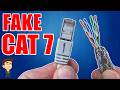
STOP Buying CAT7 Ethernet! In this video I will test 5 different Cat 7 Ethernet Cables to see which ones are actually Cat7!

This is "How To Terminate All Ethernet Cable Types ( except for Cat7 )". All supplies and tools are listed below. Cat5e: VIVO Black ...

On today\'s episode we will show you how to install a 2-port Cat6 Network Faceplate and a Low Voltage Gang Bracket. We will ...