
Finding the right Wi-Fi setup is essential for ensuring fast, reliable, and secure internet in your home. In this guide, we compare wireless routers, mesh Wi-Fi systems, and wireless access points to help you determine the best solution for your space.

A wireless router is the most common solution for home Wi-Fi. It connects directly to your modem and provides wireless internet throughout your home. Here’s when a wireless router is the best choice:
A mesh Wi-Fi system consists of a main router and multiple satellite nodes that distribute the Wi-Fi signal evenly across your home. Here’s when you should consider a mesh network:
A wireless access point (WAP) is a device mounted on the ceiling or wall that provides a secure and high-performance wireless connection. Here’s when to use a WAP:
| Feature | Wireless Router | Mesh Wi-Fi | Wireless Access Point |
|---|---|---|---|
| Best for | Small homes (under 1,500 sq. ft.) | Large homes (multi-story or over 1,500 sq. ft.) | Permanent high-speed solution for businesses or large homes |
| Installation Difficulty | Easy plug-and-play | Moderate setup with app configuration | Advanced (requires attic access and wiring) |
| Flexibility | Fixed location | Adjustable satellite placement | Fixed, mounted installation |
| Security | Standard built-in security | Moderate security with app management | High security with advanced configuration |
Choosing the right Wi-Fi system depends on your home size, the number of connected devices, and your technical expertise. If you're looking for an easy setup, a wireless router or mesh system is best. If you want long-term stability and high performance, a WAP is worth considering. No matter what, ensuring your home has reliable internet is key to a smooth online experience.
so which router should you have in your home a wireless router a mesh wi-fi system or maybe a web wireless access point hmm what's going on guys welcome back i'm mike this is the ultimate tech hub thank you for joining me i really appreciate it you guys are awesome i got an email this morning one of my viewers had a question we just moved into our new home and i was wondering which would be best a wireless router a mesh wi-fi system or a wireless access point so today we're going to answer that question so today we're going to talk about three different wireless systems a wireless router a mesh wi-fi system and lastly a wap a wireless access point get your mind out of the gutter and my goal today is to give you enough information so that you pick the right system for your home okay let's go ahead and start with the wireless router a good old-fashioned wireless router and we're talking about a router in the 80 to 1000 range nothing fancy not a gaming router just a basic 80 to 1000 router the best case scenario or the best use for this router is in an apartment a condominium or a small home maybe two or three bedrooms and no more than fifteen hundred square feet and what's great about our wireless router hook it up to modem put it on a desk or shelf and you're good to go and most wireless routers are very easy to set up from the ssid to the passwords and nearly all wireless routers have their settings already set for optimal security but you always have the availability to go back in and change those settings but once again a wallace router is great for an apartment a condo or small home 3 bedrooms 1500 square feet perfect all right next a mesh wi-fi system now what's great about mesh wi-fi systems is the versatility depending on which model you buy sun mesh wi-fi systems have a router and one satellite but some have a router and two satellites and some have a router and three satellites and some brands allow you to add more satellites as you need them so our recommendation for a mesh wi-fi system is a large home i'm talking five or six bedrooms like a large one story or a two-story and what's great about mesh wi-fi systems is the satellites are not permanent they're temporary you can move them around you need to so for instance set the router up where the modem is then set up your one or two satellites in different areas and over the next day or two see how things are working check for signal coverages and for dead zones and if you find a dead zone simply move one satellite to a different room all you need is a power outlet it's that easy and what's great about these satellites because they are movable if you have a party like a pool party you can put a satellite out on your back patio easy everybody has access so like i said before mesh wi-fi systems are excellent and for instance this orbee mesh wi-fi system from netgear six rooms that's a lot of coverage and you can see there's a router and one satellite and it covers a huge area and the last thing i'm going to talk about is a wap a wireless access point get your mind out of the gutter one thing to note about wireless access points these are permanent solutions when you install a wireless access point to your ceiling or wall this is permanent it's not going anywhere and unlike a mesh wi-fi system a wireless access point is very secure you can't just unplug it and just take it especially if it's in the ceiling and most wireless access points are secure with a lock so it's not going to go anywhere like i said before these are permanent solutions so there is a bit of a learning curve when installing these you'll need to be handy with tools like a ladder a drill and going in your attic and crawling around and to make these look really good you're going to drop wires through the ceiling or through the wall you could just run an ugly wire down the wall and hook it up but that looks like crap and same with a ceiling mount if you're gonna install a wireless access point just run the wire from the ceiling through the attic bam done and one thing you should understand about wireless access points many access points are powered by poe power over ethernet so in most cases you're going to have to have a layer 3 switch with power over ethernet so just a heads up if you're thinking about installing a lap like i said before these are permanent solutions and waps are great for small business because you install in the ceiling set it and forget it so when should you install a wap in your home well that's a great question installing a weapon a two-story home is very difficult especially in the ceiling on the first level because there's no crawl space to run the wires my recommendation is to install a wireless access point in a large one-story home in the center of the home in the ceiling and to do this correctly you need access to your attic and luckily i have a video right here showing you how to do this if i had to choose i would choose a wireless access point over a mesh wi-fi system but i have the knowledge and the skills to install one if you're a novice then just get a mesh wi-fi system and you're good to go and like i said a mesh wi-fi system is temporary because you can move the satellites around as you need and most of these satellites have a lan connection on the back of them for wired connections which is great once again guys i'll go over this real quickly a wireless router for an apartment a condo or small home no more than 1 500 square feet once you get above 1500 square feet a wireless mesh system would be perfect if you have a very large one-story home a ross access point would be great as well just remember these are permanent solutions and guys if you made it this far i want to thank you so much you guys are awesome and guys if you found this video helpful make sure to give a thumbs up and share it if you loved it hit subscribe it's free and i'll see you next video real soon peace

The Best way to improve any Home Network with Lagging Problems, High latency or Buffering issues is to Upgrade to a New wifi6 ...
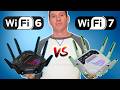
Is Upgrading your Wireless Router Worth it in 2026? In this video, we compare 5GHz vs 6GHz Wi-Fi to help you decide if ...

Faster than 5G technology! Operating at terahertz frequency bands, 6G will deliver a peak data rate of 1000 gigabits/s having air ...

Hi everyone and welcome to another episode of the Ultimate Tech Hub. Today we are going to answer an important question.

Welcome back to The Ultimate Tech Hub & Home Networking for Beginners! On today\'s episode we are installing a 6-Port Data ...

Wi-Fi 8 is Coming Soon! But It\'s Not About Speed! Here is EVERYTHING we know about Wi-Fi 8 and Wi-Fi 8 Technology! Wi-Fi 8 ...