
In this guide, we break down the ten most common home networking mistakes people make, especially when setting up Wi-Fi and Internet connectivity in their homes. Whether you’re upgrading your router or starting from scratch, avoiding these errors can save time, money, and frustration. Let's help you create a fast, reliable, and secure home network setup.
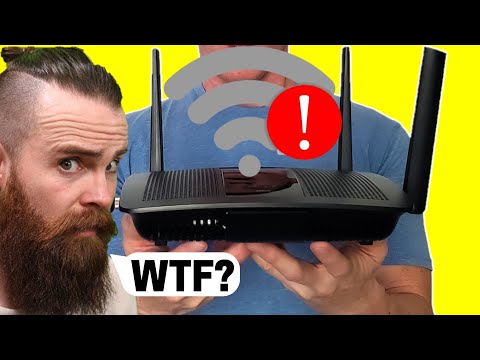
By avoiding these common mistakes, you’ll have a much smoother, faster, and more secure home network experience for everyone in your household.
These are the most common home networking mistakes that beginners—also known as "noobs"—make.
1. Failure to Plan: Before purchasing networking equipment, ask yourself: How fast is your ISP? How many users and devices? One or two-story house? TVs, phones, tablets, smart devices? Need a gaming router or access point? Having a plan will save time and money.
2. Renting from Your ISP: Renting your modem or router can cost you hundreds over time. Own your equipment and save money. ISP-provided routers usually offer limited features.
3. Not Configuring Your Router: Many users just plug in the new router and go. Always change the admin password, SSID, and Wi-Fi password. It’s easy and essential.
4. Disabling the Firewall: Turning off your firewall because of network issues is a big mistake. It leaves your devices open to attacks. Instead, call tech support to resolve issues.
5. Poor Router Placement: Don’t put your router in a corner closet upstairs. Place it in the center of your home for a stronger signal and better overall coverage.
6. Messy Cable Management: Label your Ethernet cables and keep them organized. It helps during troubleshooting and keeps your setup neat.
7. Buying the Wrong Hardware: Don’t skimp on routers. A cheap $80 router covering 1200 sq. ft. won’t work for a 2000 sq. ft. home. Get hardware that meets your needs.
8. Overcomplicating the Network: Avoid using advanced features like VLANs, port forwarding, and custom DNS unless necessary. Keep your network as simple as possible.
9. Giving Admin Access to Others: If someone helps you configure your network, change the admin password once they're done. Better safe than sorry.
10. Not Future-Proofing: Always plan for growth. Get newer routers, modems, and switches with extra ports. Don’t buy clearance or outdated models that limit future options.
Be sure to like, share, and subscribe—and hit that Bell icon! See you in the next video. Peace!

This video breaks down How Much I Make on YouTube. This is only Google Ad Revenue and not Amazon Affiliate Programs and ...

Welcome back to Ultimate Tech Hub. On this episode of Ultimate Un-Boxing we will take a look at the Legrand ON-Q Universal ...
Welcome back to The Ultimate Tech Hub. On today\'s 200th Episode Celebration, we tested the Rock Space Whole Home Mesh ...
This video is How To Setup any Wireless Router! I\'ll take you through every step of the process in under 4 minutes! It\'s a quick and ...
This is the complete TP-Link Omada setup guide for Home Networks or small businesses. TP-Link sent us these 4 products for ...

This is our Test and Review of the TP-Link DECO XE70 Pro Wi-Fi6e Mesh Router system. Product Link: Best Deals! TP-Link Deco ...