[Music]
let's talk about why drones are so
difficult to fly with controls like
throttle pitch roll and yaw flying that
drone can become confusing and very
expensive
especially if you keep crashing it and
flying that drone can be a lot of fun
if you know what you're doing so the
question is
how do you learn to fly a drone without
the fear of wasting hundreds or even
thousands of dollars
when your brand new drone slams into a
tree or crashes into the ground or even
worse your drone crashes into the water
so the best solution to learn how to fly
your first drone is to buy a budget
drone that shares many of the same
features as the higher end pricier
drones and for that reason we recommend
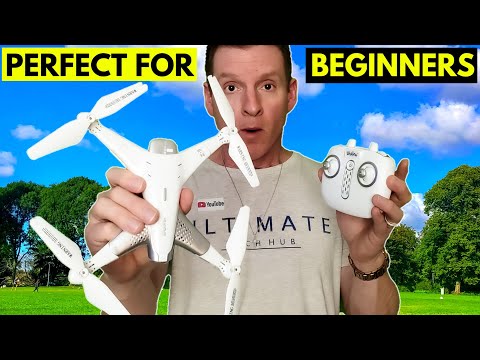
the z3
what's going on guys welcome back to the
channel today we're back with another
drone review from a company called lulin
this is the z3 quadrocopter the z3 is
designed for children 14 or older the
z3's main features are an hd camera app
control fpv
optical flow positioning flight plan
360 flip stunts headless mode and hover
function and to download the app for the
z3 simply scan the qr code on the box or
you can find the app at the android or
apple store the z3 retails for 110
dollars let's open the box and see
what's inside first thing you get is the
drone the first thing i noticed about
this drone it's very lightweight and
made entirely of plastic
and the z3's arms unfold very easy and
here's the user manual it's very
thorough and the z3 includes a quick
start guide to get you flying quick as
possible and this box contains the
remote control charging cables extra
batteries
extra drone blades and screws as well as
a small screwdriver and this drone also
comes with blade guards for the remote
control you're gonna need four double-a
batteries which are not included this
also comes with a clip to attach your
cell phone to the remote control and
before you fly any drone it's really
important to charge all your batteries
to 100
before you start flying and connecting
the battery to the drone is very easy
and each battery gives you about 20
minutes of flight time what i really
like about this drone especially for the
kids
is you do not need a cell phone to fly
it
so for our first flight we're gonna fly
the drone without the cell phone just a
remote control it's important to get
used to the controls and get a feel for
how the drone flies because every drone
handles a little bit differently and the
z3's remote control has a button for the
auto lan feature so if the drone is
getting out of control because of wind
or user error tap the top right button
and it lands automatically and this auto
land feature came in handy because the
day we filmed was very windy one thing i
want to show you i did hit the walls a
couple different times
you can see where it kind of chipped
away at the blades here however
i have to say that the drone still flies
pretty good even with these blades a
little bit chipped
so um i'll have to replace these with a
replacement blades that came with it but
it's not bad man it's pretty lightweight
it is a challenge in the wind i have to
admit but the cool feature is that flip
feature it's really neat super easy to
do that's
something pretty much anybody can do so
i'll show you one more time
to be able to use the advanced features
like the hd camera and flight plan
you'll need to connect the drone to the
app on your phone
using wi-fi
and from here you can access all the
cool features
especially the camera
just a heads up there are two features
this drone does not have
one is obstacle avoidance and the other
is stabilization at the hundred dollar
price point this is not expected and for
a drone priced at 110 dollars with all
these features it's a must-have for a
beginner you can learn all the drone
moves without worrying about crashing
because if you do damage this or break
it you're only out 110 dollars not a
thousand dollars
so of course there'll be a link in the
description below to where you can buy
this drone so after you buy this drone
and test it out for a couple weeks
make sure to leave a comment below on
what you think about the drone do you
like it or not and of course guys make
sure to like and share this video and
hit subscribe
it's free and of course i'll see you in
the next video real soon
peace