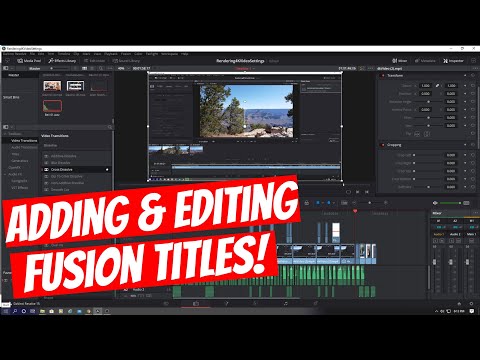
hi everyone and welcome to another video
tutorial
on davinci resolve i'm mike and this is
the ultimate tech hub
on this episode i'm going to show you
how to add and edit animated titles in
davinci resolve
you can find these animated titles in
fusion titles
so first let's go ahead and look at the
various animated text templates
each text animation has a specific
animation
text style and color however
we do not have to use those particular
set of parameters
we can adjust virtually every aspect of
the animated text
let's look at two of my favorite
animated text templates i've used both
of these in many of my videos
the first one is called text in a box so
simply click onto the animated text
and drag it over to the spot in the
video you want to place it on video 2
track
so the first thing i need to talk about
is this red bar
before you can play the animated text
that red bar must be fully blue
otherwise it will not play and many
times it will crash davinci resolve
i found the best way to get that to turn
blue is to click the left side of the
area
next to it for some reason it makes it
go faster
after the bar is solid blue you can play
the animation
okay the bar is solid blue go ahead and
play the animation
of all the animations this one is my
favorite but we can make this even
better
we can change the font style and the
color as well
so once you clicked on the text
animation you'll see a menu in this
viewer
simply click on each tab to make changes
to the font
and the color so i'll take you through
the changes i'm going to make
with the font and the color to make this
animation even better
so let's go ahead and change the main
text
next let's go ahead and change the main
text font
i'm going to use rockwell if you drag
the bar
over the text animation you can see how
it looks
and we need to go ahead and change the
text size to be a little smaller
looks better now change the text font
color
and that looks good
now let's go ahead and change the box
material color
i'm thinking red i think it may be like
a bright red
and remember this red bar it has to be
blue
before i can play the animated text here
we go
and that looks perfect and one more
thing
you can move this animation anywhere in
the viewer so i'm going to place mine
down below
don't forget to let that red bar turn
blue before you try watching the
animation
and that is perfect i like it a lot
let's go ahead and do one more example
i've used this text animation in many of
my videos
this one's called dramatic mood and
we'll go through the same process of
changing the font style
and the colors and this font color is
way too dark
so we're gonna make it really light
it'll be a nice contrast
so once again change the main text to
whatever you want
next change the font
and we'll use this font
next we can change the size of the font
maybe a little bit smaller
now let's go ahead and change the color
of the font it really needs to stand out
well that's getting better
now that looks really good
okay i think we're done this looks
really good
make sure that red bar is blue before
you play the animation
and that looks really good well guys
we're all done here
so now you have a really good idea of
how to change your text animations and
make them customized for your needs
well thank you for watching and if you
like these videos give a thumbs up and
share it
if you love them hit subscribe it's free
thanks for watching