
Discover how the Fluke Networks FiberLert makes fiber optic troubleshooting simple and accurate. This portable device is perfect for quickly verifying fiber activity, and our in-depth review shows how it works in real-world scenarios.

Troubleshooting a fiber optic network can be complex. Here are key techniques before using a detection tool:
If the issue persists after checking those factors, a specialized fiber optic testing tool is necessary.
The Fluke Networks FiberLert Fiber Light Detector offers a simple solution. It detects optical power in both single-mode and multi-mode fiber lines with:
Using the FiberLert is easy:
Features like the "LightBeat" LED pulse for power and battery status, and compact design make it perfect for techs on the go. It runs on two AAA batteries and fits easily in a toolbox or even your pocket.
While the $129 price may seem high, it's affordable compared to many fiber detectors on the market. Plus, the reliability and ease of use justify the cost.
If you're working in networking, the FiberLert is a must-have tool. For more details and purchasing links, visit the Fluke Networks website or check the video description.
Anyone who's ever done network troubleshooting knows it's a complex process, especially when dealing with fiber optics. There are a few basic techniques to start with when diagnosing fiber optic issues:
If all these checks don’t resolve the issue, a specialized tool is required.
That tool might be the Fluke Networks FiberLert Fiber Light Detector. It's compact, runs on two AAA batteries, and is incredibly easy to use. The FiberLert checks fiber activity, polarity, and connectivity without contact. Just hold it in front of the fiber end face or port, and the built-in light and tone will indicate whether the fiber is active. There's no setup or interpretation needed.
To use it, remove the cap, power it on, and start testing. When testing a patch cable, you'll hear an audible tone and see the LED light up if the fiber is active. It's important not to look directly at the fiber end for safety reasons.
You can also test ports. If there's no signal, you won't see or hear anything. To mute the tone, just hold the button for two seconds. If the device is left idle for five minutes, it powers off automatically to conserve battery life.
The FiberLert works with single-mode and multi-mode fiber, including UPC and APC connectors. It detects wavelengths from 850nm to 1625nm. The LightBeat feature flashes the LED to indicate it's powered on and that the battery is good.
In my experience, I couldn’t find any real flaws with the FiberLert. At $129, it may seem a bit pricey, but it's relatively affordable compared to other fiber detectors. Because it's so small, it could be easy to misplace—but on the other hand, it fits conveniently in your pocket or toolbox.
As for battery life, I expect it will last a few months with regular use. There's a link in the video description to purchase the FiberLert, and if you’re into networking, check out the Fluke Networks website for more tools.
Thanks again for watching! Please like, share, and subscribe if you found this helpful. Your support helps keep this channel going.

The Logitech G502 HERO is one of the most popular gaming mouses ever sold! But what makes it that great? Find out in this short ...

Welcome back to The Ultimate Tech Hub. We finally found the perfect Solar Pathway Lights that look great, easy to install and are ...
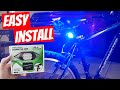
Welcome back to The Ultimate Tech Hub. On today\'s episode we will unbox, install, test and review this Steering Tail Light from ...

This is our Ultimate Soundbar Review of the DYPLAY 20" 2.0 Soundbar. If you have any questions about this video please leave ...

Hi everyone welcome to another tech review from the Ultimate Tech Hub. Today we are asking the question what is the best ...

Welcome back to The Ultimate Tech Hub. On today\'s episode we are flying our DJI Mini 3 Pro at night on the 4th of July. We filmed ...