
The GeForce RTX 4070 is a powerful GPU with 12GB GDDR5 VRAM, making it ideal for gaming, 4K video editing, and high-performance rendering. In this guide, we’ll walk you through the installation process and highlight its key specs.

The RTX 4070 is an excellent upgrade for gamers, content creators, and professionals looking for powerful 4K video editing and rendering capabilities. With its strong performance gains over the RTX 3070 and RTX 3080, it’s a solid choice for high-end PC builds.
now it's time to install the GeForce RTX 470 which includes 12 GB of G ddr5 vram and guys if you don't know this my name is Mike I love technology I love networking I love computer builds I love TVs theming consoles all things technology if you enjoy these things as well make sure to hit subscribe and the bell notifications and while you're there give a thumbs up and share this video the 4070 includes 184 tensor cores 184 texture Maps it also has a whopping 5,888 cicor and its boost clock is 2.48 GHz in the RTX 470 how performs the RTX 380 when it comes to rate tracing performance in the RTX 470 offers better performance than the RTX 3070 when it comes to 4K video editing it's about a 15% Improvement not not bad and you'll see a 40% Improvement when it comes to GPU rendering so in the simplest terms the RTX 470 is a badass GPU and as a bonus you only need one 8 Pin power connector pretty cool and speaking of power the max power consumption for this GPU is 200 WS let's get this bad boy installed into the PC case it simply snaps into the PCI Express 5.0 slot attach the GPU to the case with two screws plug in the one eight pin power connector and Bam we are done and guys consider joining our patreon page where $2 a month helps keep this channel going and the perks that you enjoy for $2 a month is a personal thank you every new video also included is one text support question per month and the last perk is you're automatically enrolled into any giveaways that we have and we do giveaways every five or 6 months so guys that's it thank you for watching make sure to like share subscribe and for God's sakes hit the Bell icon and we'll see you in the next video real soon peace
Welcome back to The Ultimate Tech Hub. On today\'s episode we will show you a clever way to fix your GPU sagging problem.

Welcome back to The Ultimate Tech Hub. On today\'s episode we will go through the process of updating both the Geforce Studio ...
On today\'s episode we are installing the MSI GeForce RTX 2060 Super GPU. We will go over the important specs and give our ...

Discover the ASUS ZenBook S16, a powerhouse laptop featuring the Ryzen 9 AI processor, 24GB RAM, 3K OLED touchscreen, ...
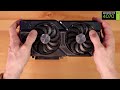
The Quickest and Easiest Video on "How to install the RTX 4070 OC Edition!" This is my favorite GPU period! Best GPU Deals!

Win a Free RTX 4060TI Ultimate Tech Hub Giveaway! Merry Christmas Todays Best Holiday Deals!: ASUS RT-AX1800S ...