
Ensure your Sony A7III is secure and always ready for action by properly attaching the shoulder strap. This guide provides a step-by-step process to help you connect the strap correctly, enhancing both safety and convenience during your photography sessions.
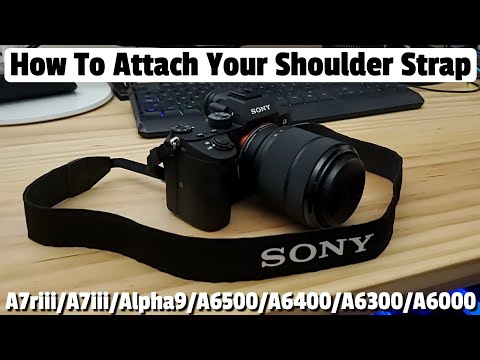
Properly attaching the shoulder strap not only prevents accidental drops but also ensures your camera is always ready for quick photo opportunities. Always double-check that the strap is securely attached and free of twists to maintain comfort and functionality during use.
Hi everyone, welcome back to another video. Today, I'm going to show you how to connect your shoulder strap to the Sony A7III mirrorless camera. This technique works for most Sony cameras, and I'll have a list of the compatible cameras in the description below. So, make sure when you connect the shoulder strap that the Sony logo faces outwards. Let's get started.
First, completely unhook the strap from the sliding adjuster. Then, slide the strap back through the collar. This will allow us to loop it through the hook on the camera. After that, we can slide it back through the collar and feed it back through the sliding adjuster. Remember, before you attach the strap, ensure the Sony logo is facing outwards. The last thing you want to do is have to undo this and redo it over.
The main benefit of using the shoulder strap is that it prevents you from dropping the camera, and nobody wants to break a $2,000 camera. Also, by having the camera on your shoulder or around your neck, you'll be ready to take pictures quickly, so you won't miss that perfect shot.
Now, use the exact same technique as we did for the other side of the strap. One thing to ensure is that the strap is not kinked up or twisted. So, before you attach it, make sure it's all straight with no twists. Once again, detach the strap from the sliding adjuster, then slide the strap through the collar, and now we can attach it to the camera. Before you attach it, make sure that the strap is not twisted. Now, put the strap back through the collar, and then put the strap back through the sliding adjuster.
And that's it. You have now connected your shoulder strap to your Sony A7III, and this method also works for many other Sony models. As usual, I want to thank you so much for watching
If privacy is your biggest concern when buying video cameras or doorbells then this video is made just for you! After watching the ...

Hi everyone and welcome to another episode of the Ultimate Tech Hub. Today we are going to answer an important question.
Welcome back to another episode of The Ultimate Tech Hub. On today\'s episode we will show you how to install any webcam on ...

If you are looking for a beginner drone that wont break the bank the Z3 will be your best choice. This is the Cheapest Beginner ...

On this episode of the Ultimate Tech Hub we will install & review Reolinks 5 mega pixel Super HD PoE Dome IP Security cameras ...

Product Links: 140W USB C Charger Block: 8-Port Charging Station (K44,White) https://amzn.to/4rWKqqf 320W USB C Charger ...