
Learn how to install a Wi-Fi 6E access point with this detailed guide, covering everything from choosing the right location, running Cat6A wiring, mounting the device, and configuring the network.

The best placement for a wireless access point is the center of your home or workspace for even coverage. Avoid obstructions like thick walls or electronic devices that may cause interference.
Attach the ceiling mount bracket using the provided screws. Slide the access point onto the bracket and secure it in place.
If you're looking for a powerful Wi-Fi 6E access point that offers excellent coverage, a user-friendly app, and strong performance for home or business use, consider the ECW336. This model delivers fast speeds and seamless connectivity with easy setup.
on today's video we're going to show you how to install a wireless access point just the basics just the fundamentals let's get started okay here are the supplies and tools you're going to need to install the access point first we're going to need measuring tape drill hammer pencil drill bits you're going to need a stud finder and if you're going to make your own patch cables long cables you'll need some cable we're going to use cat6a also the connectors the boots the crimping tool wire stripper and don't forget if you're going to go in the Attic make sure you've got adequate mask also gloves as well and of course you'll need a ladder to access the attic and the ceiling where you're going to install the access point okay first thing you want to do is determine the center of your home that's where the access point should be located and right here you can see is our w8630 access point now this is a Wi-Fi 6 access point and we get great coverage throughout the house so my plan is to leave that access point where it's at our location for the new access point will be about right here and I'll drill a hole through the ceiling into the attic we'll run our cas6a wiring through the attic all the way to the network panel in our closet and then we'll attach the mounting kit with the provided Hardware go ahead and mark the location of our access point ceiling mount bracket now I've already checked this area prior to coming up here right here seems okay you can tap here I'm gonna show you how this works like this okay it hooks on then you pull this up tab up and it comes out like that so we want to put them right here first thing we're going to do trusty pencil and we'll go ahead and Mark right there [Music] [Music] and at this point we're going to test out that bracket to make sure it holds and it does next we'll drill the hole for the cat6a cable to go up into the attic so now we're going to push all the cable up into the attic and then go in the attic and I'll find the cable and I'll drop it into the network panel this is a lot of cable so I'll fast forward this now we're going to slide this onto the bracket like so and then we can just run this cable up and out of the way perfect you can't see it at all right let's go to the attic like I always say be careful when working in the Attic all right this is the attic and back here is where the wire is all right here we are let's go check it out shall we remember you need to walk on these cross beams otherwise you're going to fall through the ceiling and that would hurt and voila there is all of our wire kick away the insulation to reveal the cross beams and then we'll grab that wire so to get the wire good there we go we're good now at this point we're gonna work our way back towards the middle of the attic all right we're going to use the old bolt on a string to run the wire down the hole into the network panel we'll attach this end to the castix cable we'll drop this down to the network panel because of the weight of this bolt it will go straight down to the network panel guaranteed and then when we go downstairs I'll pull this through and it'll bring the other end down it'll bring that k6a cable down through there and then I'll plug it into the switch and then we're done so here we're going to drop that bolt on a string through that hole that leads to the network panel below and then wait for the sound of that bolt hitting the bottom you hear it down there good to go let's go downstairs and pull it through and the old bolt on a string always works now we'll plug it in to our ingenious 8 port Poe switch right here I've got a spot for it right there and then we'll get looking pretty and test our new access point make sure everything works correctly and here's the finished Network panel all cleaned up and this is the cat6a wire that connects to the ingenious 8 Port switch connects right here so if you're looking for a Wi-Fi 6E access point that's not too big has a very intuitive app and can be used for home or business then the ecw336 is a great choice and there'll be a link in the description below for this access point well guys as usual thank you so much for watching remember like share subscribe comment and for God's sakes hit the Bell icon and I'll see you in the next video real soon peace

What is a Virtual Private Network (VPN)? How does a VPN work? Are there anything\'s a VPN cannot do? VPN Explained In 5 ...

This is our Test and Review of the TP-Link DECO XE70 Pro Wi-Fi6e Mesh Router system. Product Link: Best Deals! TP-Link Deco ...

This is the complete TP-Link Omada Switch setup guide for Home Networks or Small Businesses. TP-Link sent us the Jet Stream ...
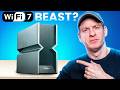
I Tested The Fastest Wi-Fi 7 Router! ARCHER BE900 Wi-Fi 7 ROUTER ( THE BEAST ) Archer BE24000 Quad-Band Wi-Fi 7 ...

Do you want Faster Wi-Fi Speeds? This video shows you 1 simple setting to get faster Wi-Fi speeds! This works for all Wireless ...

Welcome back to The Ultimate Tech Hub. On today\'s episode we fully explain VLANs and what they are used for. VLANs should ...