
If you're new to flying drones, the DJI Mavic Mini is a great place to start. This simple guide walks you through the top five essential steps to ensure your first flight is smooth, safe, and successful. Whether you're unboxing your drone for the first time or just need a quick refresher, this guide will have your Mavic Mini airborne in minutes.
That’s it! With these five easy steps, your first DJI Mavic Mini flight will be a success. Take your time, get comfortable with the controls, and enjoy capturing amazing footage right from your first takeoff.
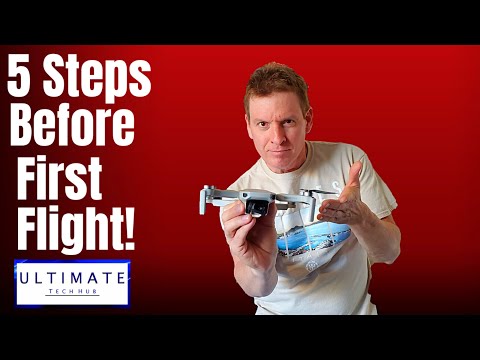
This is the Mavic Mini First Flight Setup, brought to you by your friends at Ultimate Tech Hub. These are the top five things to do before your first flight.
We know there are many Mavic Mini videos out there, but our goal is to help you make your first flight perfect. Sit back and follow our checklist—and don’t forget to hit subscribe, it’s free!
By the way, the drone footage shown is from our very first Mavic Mini flight—no crashes, no issues, just a successful flight.
Before getting started: Be sure to download the DJI Fly app from the Play Store or Apple’s App Store.
Step 1: Charge everything to 100%. That means the drone batteries, remote controller, and your phone.
Step 2: Set up your remote:
Step 3: Prepare the drone:
Step 4: Open the DJI Fly app from the remote-connected phone, then power on the drone. Press the drone’s power button once quickly and once slowly. The app will connect to the drone for the first time and prompt a firmware update—complete that now.
Step 5: Place the drone on a flat surface, like a sidewalk. In the app, tap the record button to begin recording video, then use the auto-launch feature to lift off. You can now test the controls and explore the drone’s movement. We recommend using the auto-land feature until you’re comfortable flying manually.
Once landed, stop recording in the DJI Fly app. Congratulations! You’ve completed your first Mavic Mini flight—and you’ve recorded it too.
That’s it! A simple five-step checklist to get you flying safely and quickly. If you liked the video, give it a thumbs up and share it. If you loved it, hit that free subscribe button. Thanks again for watching!

Welcome back to The Ultimate Tech Hub. On today\'s episode we explain 3 reasons to buy the DJI Mini 3 Pro and 2 reasons NOT ...

Welcome back to The Ultimate Tech Hub. On today\'s episode I will show you how to fly a drone in a park without getting caught.

Welcome back to The Ultimate Tech Hub. On today\'s episode we are flying our DJI Mini 3 Pro at night on the 4th of July. We filmed ...

Welcome back to The Ultimate Tech Hub. On today\'s episode we are going to attempt to fly our DJI Mavic Mini ( 1st Gen ) in the ...

Welcome back to The Ultimate Tech Hub. We\'ve been searching for the Best Budget Drone for Beginners and I think we\'ve found ...

If you are looking for a beginner drone that wont break the bank the Z3 will be your best choice. This is the Cheapest Beginner ...